 Lirafy
A mobile app without a backend: Claude Code alerts and approvals over SSH and files
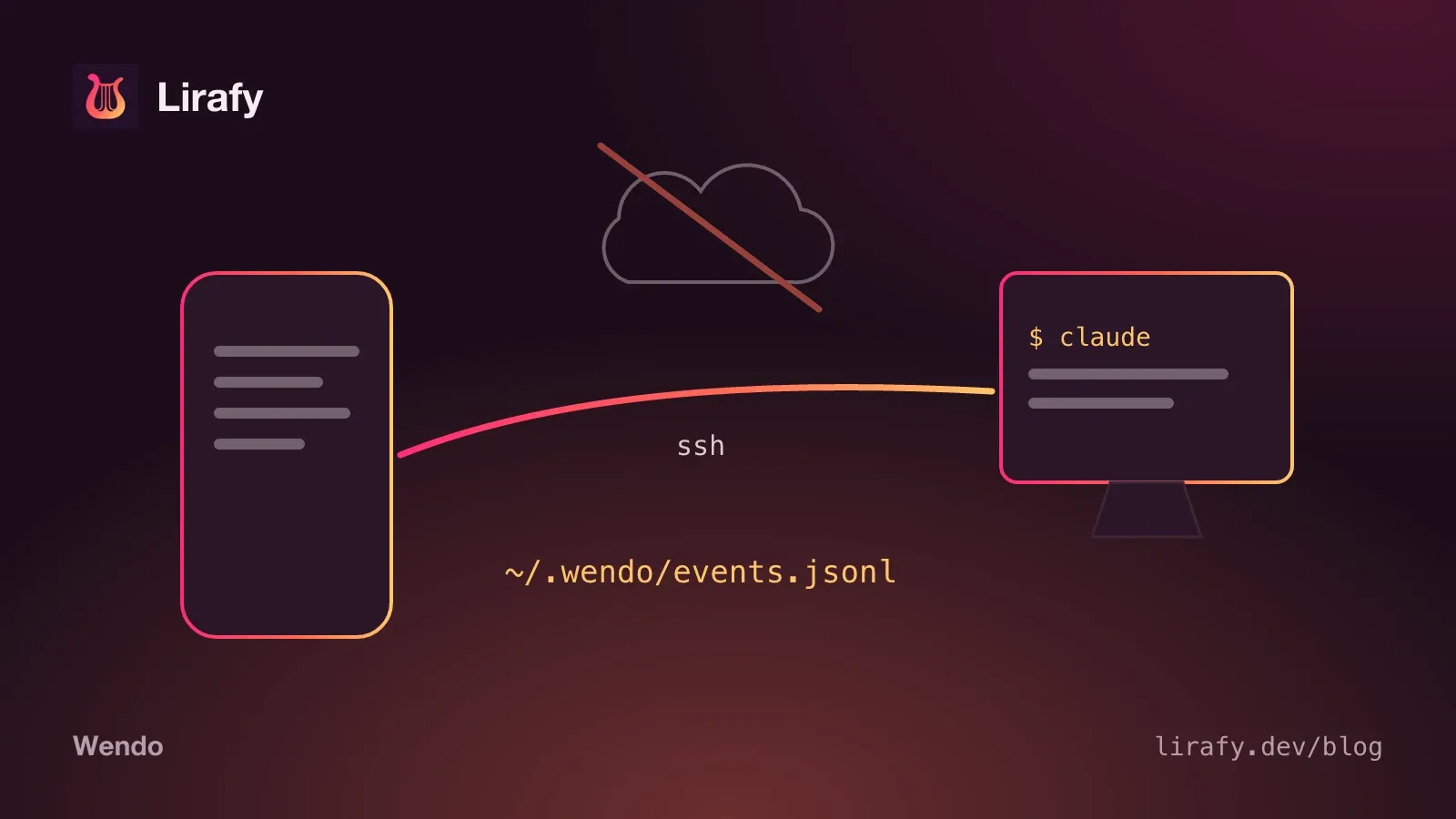
Wendo is a mobile app without a backend: there's no server of ours between your computer and your phone. When Claude Code asks for permission or finishes a task, a shell script on your machine writes the event to a file, and the app reads it over SSH with the same key it uses to open the terminal. The answer to an approval travels back the same way, as another file.
If you're looking to set it up, that's in the guide to Claude Code notifications on your phone.
Why a mobile app without a backend
Wendo is an SSH client: for it to work at all, your phone already has to reach your computer and authenticate to it. With that encrypted channel open, a server in the middle for notifications would be one piece too many.
Removing it has three consequences we wanted:
- What your agent does (the command it wants to run, the file it's about to touch, its last message) never goes through any machine of ours. It stays on your computer until your phone asks for it.
- There are no accounts. No email to store, no password to leak. Your identity is your SSH key.
- There's no infrastructure to pay for or maintain for each new user.
In exchange, everything a server would do (keep history, notify you when the app is closed, pair devices, verify purchases) has to be solved with what already exists at both ends.
The contract: one JSON line per event
Everything revolves around ~/.wendo/events.jsonl. The installer registers wendo-hook.sh on six Claude Code events (PermissionRequest, Notification, Stop, UserPromptSubmit, SessionStart and SessionEnd), and every time one fires, the hook reads the JSON Claude Code passes it on standard input and appends a line to the file. A permission line looks roughly like this (trimmed):
{"id":"1793530000-4242-12345","time":1793530000,"host":"portatil","agent":"claude",
 "event":"PermissionRequest","category":"approval_required","kind":"permission",
 "title":"Claude Code — wendo","message":"Bash: flutter test","sessionId":"…",
 "toolName":"Bash","pendingActionId":"p1793530000-4242-6789",
 "expiresAt":1793530090000,"options":["Approve","Deny"],
 "mux":{"kind":"tmux","session":"dev","window":"1","pane":"%3","socket":"/tmp/tmux-501/default"}}
The file only grows at the end. Nobody edits lines: a resolved approval is recorded as a new line of type resolution. That makes concurrency much simpler, because several hooks can write at once and short lines are appended atomically. When the file passes 1000 lines, the hook keeps the last 500 (with flock if it's available, so only one rotates at a time). The folder is created with umask 077 and the file ends up as 600: only your user can read it.
The mux field says which tmux, zellij or herdr pane the agent is running in, so the app can take you there.
How the app reads: polling over SSH
The app doesn't receive anything; it asks. On each read it opens an SSH connection to every host with the inbox turned on and runs, without a terminal, something as simple as this:
tail -n 1000 ~/.wendo/events.jsonl 2>/dev/null; trueHow often depends on the state of the inbox. While any row is waiting for an answer, it rereads every 5 seconds, because the hook times out quickly. With agents working, every 15. If nothing is live, it only reads when you open the tab. After you answer, it rereads at 1.2 seconds and again at 3 to see the resolution.
With the lines in hand, inbox.dart sorts them by time and folds them into rows: one per host and session. That's where most of the logic lives that another app would keep on a server. For example, it decides that a request was answered in the terminal if a Stop or a UserPromptSubmit arrives afterwards with no resolution in between, or that a SessionStart caused by compaction changes nothing.
Since the file is append-only, deleting in the app means remembering what was deleted. Wendo keeps "tombstones" on the phone itself, per row or per host. If the agent writes to that session again, the row comes back. If a host doesn't respond, the app keeps the last thing it read from it instead of emptying the list.
With the app closed on Android
On Android there's a WorkManager task that wakes up at most every 15 minutes (the system won't let you ask for less, and it may delay it to save battery). It reads the inbox the same way the open app does and posts local notifications for anything new. This read never asks for biometrics: if your SSH key is protected and locked, that host simply fails. What has already been notified is stored on the phone so the open app and the background task don't repeat the same alert. On iOS this task doesn't exist.
An approval, there and back
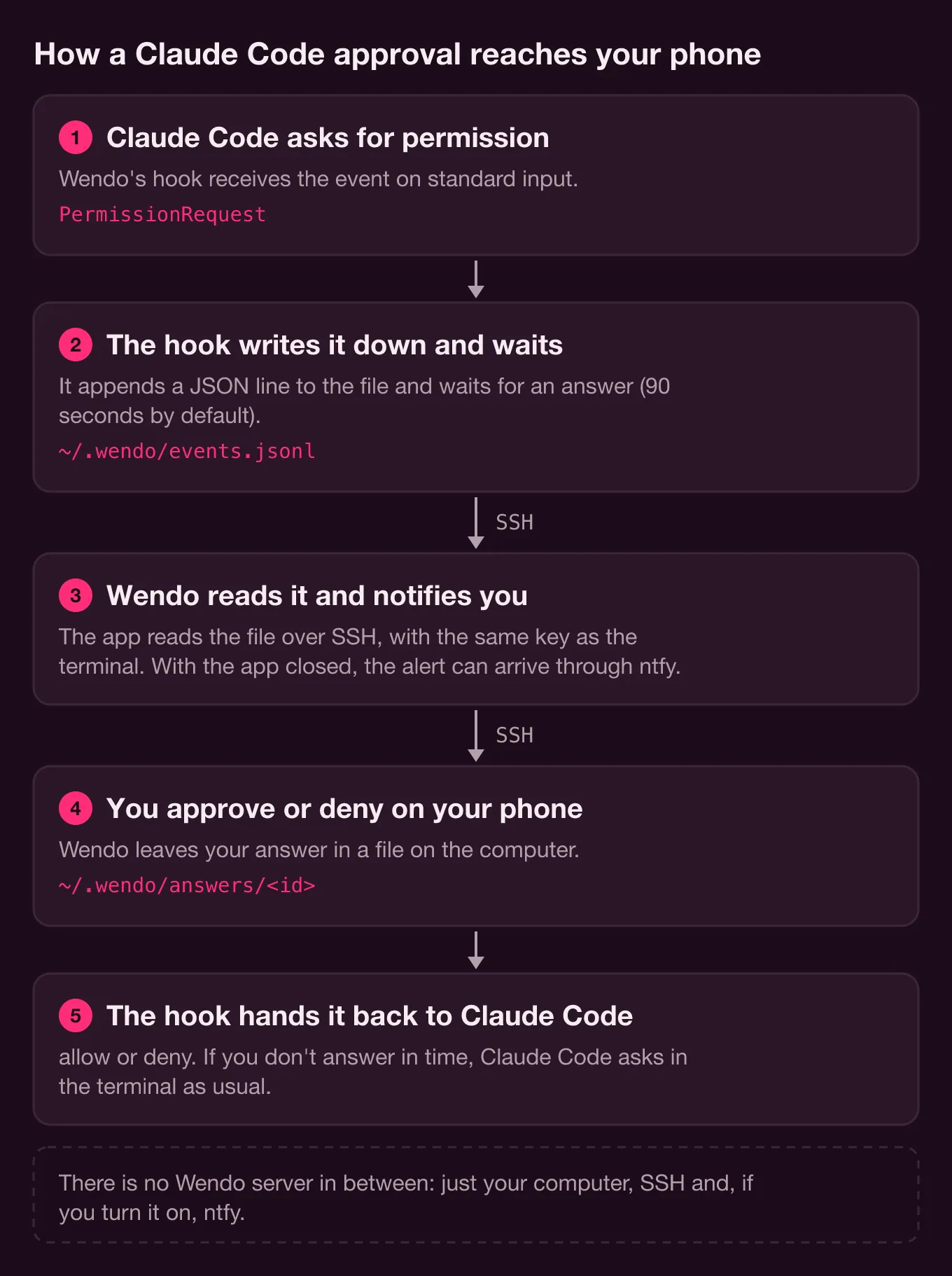
PermissionRequest is the only event where the hook stays and waits. The full round trip:
- The hook generates a
pendingActionId(letters, digits,_and-; the app validates it the same way before putting it in a path), computesexpiresAtand writes the line withoptions: ["Approve","Deny"]. - The app sees a row with a
pendingActionId, no resolution and not expired, and shows the buttons. - When you tap one, the app writes
{"decision":"approve"}to~/.wendo/answers/<id>.tmpand renames it to~/.wendo/answers/<id>. The rename keeps the hook from reading a half-written answer. - The hook checks for that file every half second. When it finds it, it prints the decision in the format Claude Code expects and appends its resolution line:
{"hookSpecificOutput":{"hookEventName":"PermissionRequest","decision":{"behavior":"allow"}}}The delicate part is what happens when you don't answer. The wait lasts 90 seconds by default (WENDO_APPROVAL_TIMEOUT). If it runs out, the hook prints nothing, and Claude Code, with no answer from the hook, asks its normal question in the terminal. The hook records a timeout resolution and exits. If you answer in the terminal first, Claude Code cancels the hook, and a trap records the resolution as local.
The design rule was that a phone failure must never leave the agent stuck. With a dead battery, no coverage or the app closed, the worst case is the usual one: the question in the terminal.
One gap remains: answering from the phone right when the hook has already given up. To cover it, after leaving the answer, the same SSH command waits up to 3 seconds for a resolution line with that id. If the resolution is timeout, or nobody picks up the file, it deletes it and the app tells you "Expired — host will fall back locally" instead of treating it as sent.
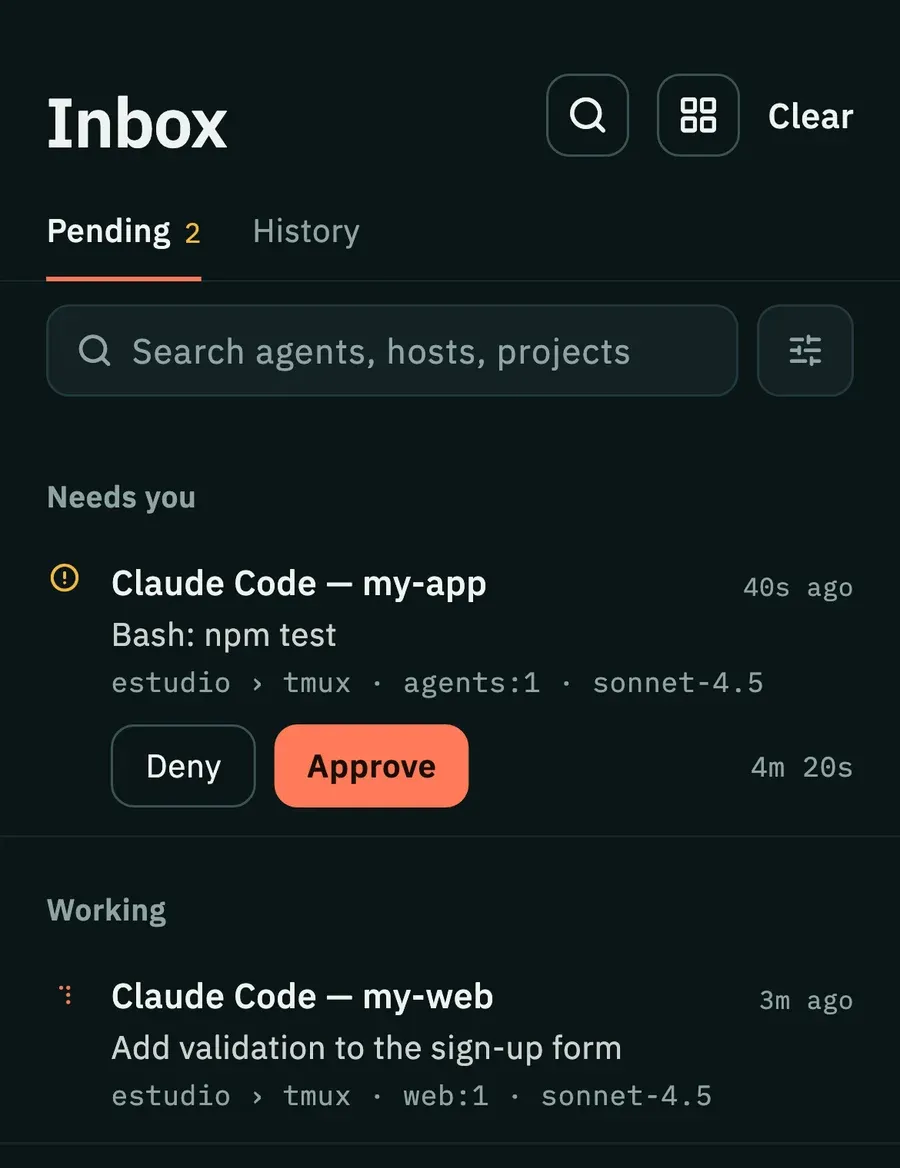
Push notifications without your own server: ntfy, and it's optional
To notify you with the app closed on iOS, or sooner than Android's 15 minutes, someone has to push the notification, and that takes a push service. We chose ntfy because you publish to it with a single HTTP request and you can host it yourself.
If you set NTFY_TOPIC, the hook publishes permission, notification and task-finished alerts (not session start or end, and not every prompt). The alert carries a wendo://attach?event=…&host=…&sid=… link with the multiplexer pane, so tapping it opens the app in the exact spot.
The app also reads the topic (/json?poll=1&since=24h) as one more source for the inbox, but what it reads over SSH wins. ntfy only knows that something needed you, not whether it was already resolved, so if the SSH read of a host fails, permission alerts from ntfy for that host don't count. And here's the privacy cost: on the public server, the topic works as the password, and the alert includes the project and an excerpt of the command. That's why the topic has to be long and random, and why NTFY_URL exists so you can use your own server.
Pairing the phone with the computer by QR, without a server
Without accounts, how does the phone add a computer? With a QR code generated by wendo-pair.sh that contains a URL:
wendo://pair?h=<host>&p=<port>&u=<user>&n=<name>&hk=<fingerprint>hk is the SHA256 fingerprint of the ed25519 host key, read with ssh-keyscan against the sshd on that port. The app validates it with a strict pattern (SHA256: and 43 base64 characters) and pins it for that host. The first connection is verified instead of accepted blindly, and if the server presents a different key some other day, the connection is refused. A QR code without a fingerprint still works, with trust on first use; one with a malformed fingerprint doesn't. The last step is installing the phone's public key in authorized_keys with the command the app shows. None of this leaves your network.
Pro without a license server
Selling a subscription without a backend is the least comfortable part. Wendo Pro is billed through Google Play and App Store billing, and the check lives in the native module, not in Dart. On Android (ProLicense.kt), each purchase arrives with its JSON and an RSA signature made with the app's licensing key, and it's verified with the public key. It also checks that the app hasn't been re-signed, and the state is stored sealed with a Keystore key, so editing a file doesn't unlock Pro. Each full sync with the store renews it; without one, Pro lasts 7 days with a subscription or 30 with the lifetime purchase, and turning the clock back doesn't extend it. On iOS the native side verifies with StoreKit 2. The free plan's 5 trial approvals are counted natively too.
The code itself says how far this goes: with root and Frida, or by patching the app, all of it can be bypassed, because without a server asking Google there's no way to prevent it. The goal is more modest: that a one-click tool isn't enough.
The real limits of an app without a backend
- The phone has to reach your computer. On the same Wi-Fi, the local IP is enough; from outside, you need something like Tailscale. If the computer is off or asleep, the app has nobody to ask.
- Alerts take as long as the polling: a few seconds with the app open (5 if something is waiting for an answer, 15 if agents are only working), up to 15 minutes or more in the background on Android, and on iOS with the app closed they only arrive through ntfy.
- Every read is an SSH connection. With several hosts, that's several connections every few seconds while something is waiting.
- What you delete on one phone is only remembered on that phone.
- The hook needs
jqon the computer, and for now it's only registered with Claude Code. - The public ntfy server sees what you publish to the topic. If that bothers you, host your own.
If you want to see how these pieces fit together in the app, the rest (terminal, tmux workspaces, chat view) is on the Wendo page, and the reference for the hook's variables is in the docs on alerts and approvals. The SSH all of this rests on is covered in SSH, Mosh and Eternal Terminal in Flutter, and another piece that works without a server, dictation, in Whisper on your phone, offline. Wendo isn't in the app stores yet.